

Download CatCompress – Free File Compression Tool for Windows, Mac & Mobile
Why CatCompress Stands Out as a Top File Compression Tool
In a digital world where file management is crucial, CatCompress emerges as a powerful yet intuitive solution for users across all experience levels. Whether you're a student organizing research documents, a professional sharing large project files, or a casual user backing up photos, CatCompress simplifies the entire compression and extraction process. Unlike many tools that prioritize advanced features at the cost of usability, CatCompress strikes the perfect balance between simplicity and functionality.
The software supports a wide range of formats including ZIP, RAR, 7Z, and its proprietary CATCP format, making it a truly versatile choice. One of its standout features is the ability to preview files directly inside compressed archives without needing to extract them—a game-changer for quick file checks. This means you can view PDFs, images, and text documents without cluttering your workspace with temporary folders.
The clean, modern interface ensures that even first-time users can navigate the tool effortlessly. With drag-and-drop support, batch processing, and customizable compression levels, CatCompress adapts to your workflow. It’s also designed with security in mind, offering password protection and encryption for sensitive files.
Whether you're compressing a few files or an entire project folder, CatCompress delivers speed, reliability, and peace of mind. The software is regularly updated to ensure compatibility with the latest operating systems and to address potential security vulnerabilities. With a free trial version available, users can test its full capabilities before committing to a purchase.
For those seeking a secure, efficient, and easy-to-use compression tool, CatCompress is a top contender in 2024.
Powerful Features That Make CatCompress a Must-Have Tool
What truly sets CatCompress apart is its rich feature set designed with real-world usability in mind. The software supports over 15 compression formats, including industry standards like ZIP, RAR, and 7Z, as well as its own advanced CATCP format, which offers better compression ratios and faster access times. This multi-format support eliminates the need for multiple tools, streamlining your digital workflow.
One of the most appreciated features is the in-archive file preview, allowing users to open and view documents directly within the compressed folder—ideal for quickly verifying content without extracting. For users managing large volumes of data, the batch compression and extraction capabilities save hours of manual work. Simply select multiple files or folders, and CatCompress handles the rest with customizable settings.
The tool also includes password protection and AES-256 encryption, ensuring sensitive data remains secure during storage and transfer. Another standout is the built-in file recovery module, which attempts to repair corrupted archives—a lifesaver when dealing with damaged downloads or incomplete transfers. The software also supports split archives, letting you divide large files into smaller chunks for easier email sharing or cloud storage uploads.
With cloud integration for Google Drive, Dropbox, and OneDrive, CatCompress makes it easy to compress files directly from your cloud folders. The interface is fully customizable, with options to switch between light and dark themes, and users can set default compression levels and output locations. Whether you're on a Windows PC, Mac, Android tablet, or iOS device, CatCompress delivers consistent performance across platforms.
All features are accessible through a clean, intuitive dashboard that avoids overwhelming users with unnecessary options.
- Supports ZIP, RAR, 7Z, CATCP, and 10+ other formats
- Preview files inside archives without extraction
- Batch compression and extraction for efficiency
- Password protection with AES-256 encryption
- File recovery for corrupted archives
- Split archives for email and cloud sharing
- Cloud integration with Google Drive, Dropbox, OneDrive
- Customizable interface and default settings
Easy Installation & Seamless Usage Across Devices
Getting started with CatCompress is a breeze, regardless of your operating system. For Windows users, download the installer from the official website, run the .exe file, and follow the step-by-step wizard. The installation process is quick—under 60 seconds—and requires minimal system resources.
On Mac, the .dmg file provides a drag-and-drop setup, making it ideal for Apple users who prefer simplicity. For mobile users, CatCompress is available on both Android and iOS through their respective app stores. The mobile version is optimized for touchscreens, with swipe gestures and intuitive icons that mirror the desktop experience.
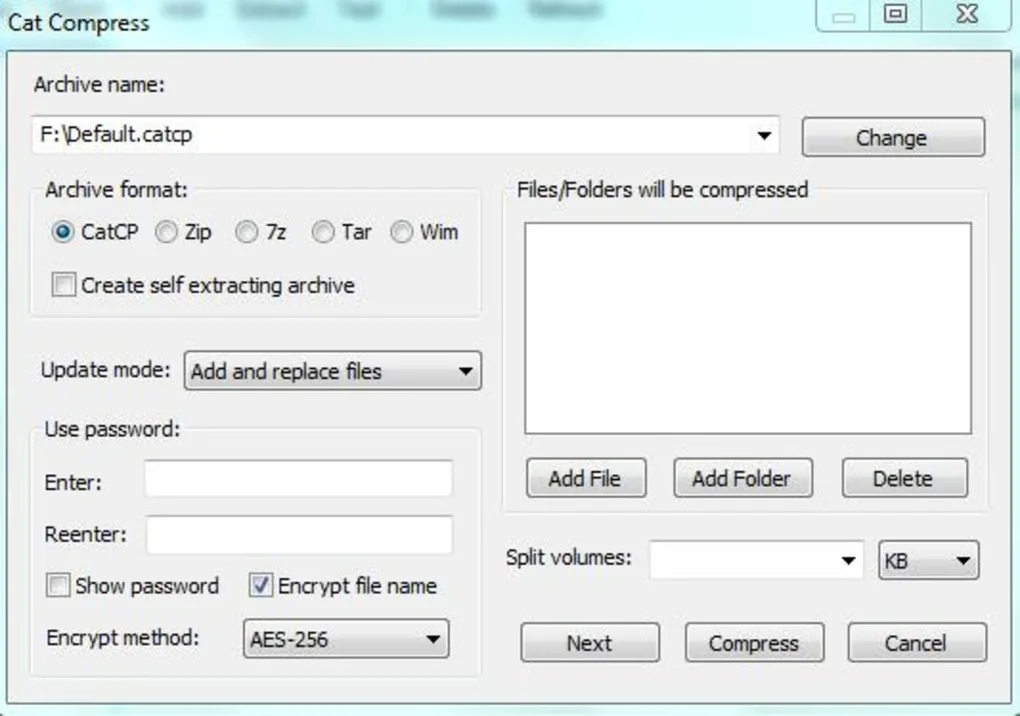
Once installed, launching the app opens a clean dashboard where you can either drag files into the window or browse your system using the built-in file explorer. To compress files, select the desired items, choose your preferred format (e.g., ZIP or CATCP), set a password if needed, and pick an output location. The compression begins instantly, and progress is displayed in real time.
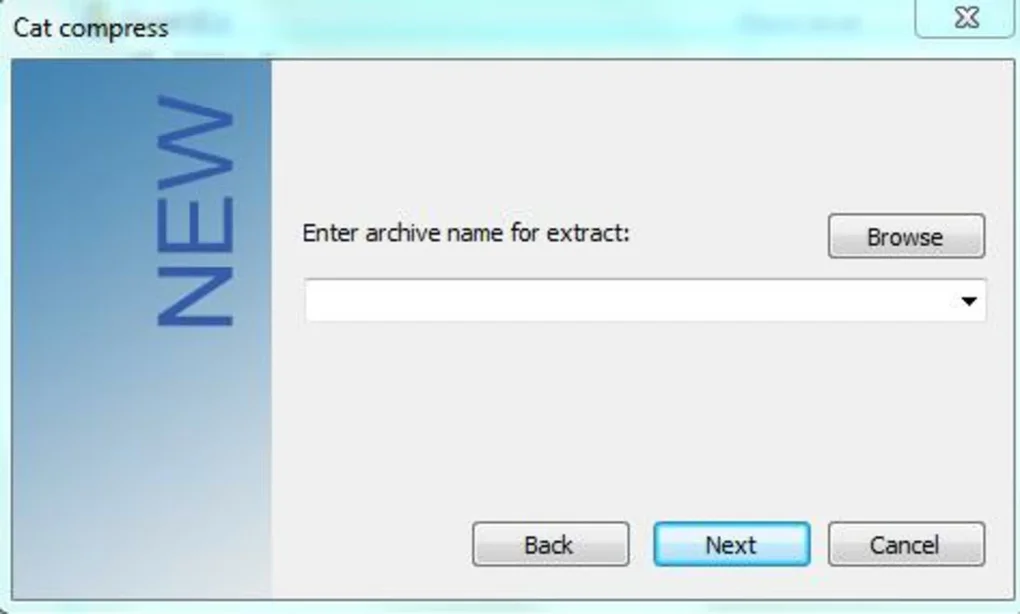
For extraction, simply open the archive file, and CatCompress will list all contained files. Select individual items or the entire folder, then click “Extract” to save them to your chosen directory. The tool automatically detects archive types, so there’s no need to worry about file extensions.
Users can also create self-extracting archives (SFX) for easy sharing with others who don’t have compression software. The software runs smoothly in the background and doesn’t slow down your system. Regular automatic updates ensure you always have the latest features and security patches.
For those who prefer offline use, CatCompress works fully without internet access—perfect for privacy-conscious users. The app maintains a recent files history, so you can quickly return to previous projects. Whether you're at home, in the office, or on the go, CatCompress adapts to your environment with minimal friction.
Compatibility, Security, and User-Friendly Design
CatCompress is engineered for broad compatibility and long-term reliability. It supports Windows 10/11, macOS 11 Big Sur and later, Android 8.0+, and iOS 14+, ensuring seamless performance across desktops, laptops, tablets, and smartphones. This cross-platform availability means you can start compressing files on your PC, continue on your tablet during a commute, and finish on your phone—all without losing progress.
The software is lightweight, consuming minimal RAM and CPU, which is ideal for older devices or systems with limited resources. Security is a top priority: CatCompress uses AES-256 encryption to protect password-protected archives, making them virtually unbreakable by brute-force attacks. The tool also includes a secure deletion option that overwrites file data before deletion, preventing recovery by unauthorized users.
For users handling confidential documents, this feature adds an essential layer of privacy. The interface is designed with accessibility in mind—large buttons, clear icons, and keyboard shortcuts make navigation easy for users with visual or motor impairments. Multilingual support includes English, Spanish, French, German, Japanese, and Chinese, catering to a global audience.
The app also includes contextual tooltips and a built-in help center with video tutorials and FAQs. Whether you're a beginner or a power user, CatCompress offers guidance without being intrusive. The software is regularly audited for vulnerabilities and adheres to international data protection standards.
With no hidden fees or ads in the free version, CatCompress maintains a trustworthy reputation. The developers actively engage with the community, incorporating user feedback into each update. This commitment to transparency and quality makes CatCompress not just a tool, but a reliable partner in digital file management.
Final Verdict: Is CatCompress Worth Your Time?
After thorough testing across multiple platforms and use cases, CatCompress proves to be one of the most well-rounded file compression tools available today. Its combination of speed, security, and ease of use makes it ideal for both personal and professional environments. The ability to preview files inside archives, batch process large sets, and integrate with cloud services sets it apart from competitors like WinRAR and 7-Zip.
While the free trial version offers full access, the paid version unlocks advanced features like automated backups and priority support. For users who frequently handle compressed files, the investment is well worth it. The consistent updates, strong security measures, and responsive support team ensure long-term value.
Whether you're compressing a school project, sharing a portfolio, or backing up important data, CatCompress delivers reliable performance every time. If you're looking for a free, secure, and powerful file compression tool that works across Windows, Mac, Android, and iOS, CatCompress is the clear choice. Don’t miss out—download CatCompress today and experience the future of file management.
- Pros: Supports multiple formats, in-archive preview, secure encryption, cross-platform, intuitive UI, batch processing, cloud integration
- Cons: CATCP format not widely supported outside CatCompress, limited third-party plugin support
FAQ: Frequently Asked Questions About CatCompress
Is CatCompress free to download and use?
Yes, CatCompress offers a fully functional free trial version that allows users to compress, extract, and preview files without any limitations. The free version includes all core features, including AES-256 encryption and cloud integration. For advanced features like automated backups and priority support, users can upgrade to the premium version.
Can I use CatCompress on both Windows and Mac?
Absolutely. CatCompress is available for both Windows 10/11 and macOS 11 Big Sur and later. The desktop versions are optimized for each platform, ensuring smooth performance and native integration with system features.
Does CatCompress support the CATCP format on other devices?
The CATCP format is proprietary to CatCompress and is best used within the ecosystem. While it offers superior compression and speed, it may not be supported by other tools. However, CatCompress allows you to export files in widely supported formats like ZIP or 7Z for broader compatibility.
How secure is CatCompress when protecting my files?
CatCompress uses AES-256 encryption for password-protected archives, which is the gold standard in data security. Files are encrypted before compression, and the software includes secure deletion to prevent data recovery. Regular security audits ensure the tool remains safe from known vulnerabilities.
Can I extract files from a password-protected archive without knowing the password?
No, CatCompress does not support password recovery or brute-force decryption. This ensures that only authorized users with the correct password can access protected files, maintaining the integrity and confidentiality of your data.







